V1 → V2 Migration
Migration Program — LiveHow to migrate your Howinu V1 → V2
A complete, step-by-step walkthrough for swapping your old Howinu (V1) tokens for the new Howinu V2 token — done entirely on-chain, directly through BscScan, with no app to install.
Quick reference
The two contracts you'll use
Keep this section open in another tab while you follow the guide below — you'll need both addresses.
Trust & security
Is this safe?
Before you connect a wallet or sign anything, here's exactly why this process is secure — and how you can verify every claim yourself.
The Migration Contract's ownership has been fully renounced
Neither the founder nor anyone else has any control over the Migration Contract — no one can withdraw the V1 tokens you send it, withdraw the V2 tokens sitting in it, pause it, or change how it works in any way. It runs entirely on its own code, permanently. You can confirm this yourself by reading the contract directly on BscScan.
To fund it, the founder deposited 12% of the total V2 supply into this Migration Contract — this is the pool your V1 tokens are swapped against.
Howinu V2 has no admin control either
The V2 token itself launched with no admin privileges — it went live as a fair, public launch through Four.meme, exactly like any other token on that platform. No one, including the founder, can mint more tokens, pause trading, or blacklist wallets.
Full transparency on the founder's initial allocation
The founder's 19.4012% first-purchase allocation on Four.meme has already been distributed exactly as planned: 12% deposited into this Migration Contract, 5% held by the founder long-term, and the remainder donated to Binance founder CZ as a community milestone.
Before you start
What you'll need
-
A wallet that can connect to a website A software wallet like MetaMask or Trust Wallet, or a hardware wallet such as Ledger or SafePal, set up for BNB Smart Chain (BEP-20).
-
Your Howinu V1 tokens, in that wallet This should be the wallet that currently holds the V1 balance you want to migrate.
-
A small amount of BNB You'll sign two transactions (approve and migrate), and BNB Smart Chain gas fees are usually only a fraction of a dollar each.
The guide
Step-by-step: migrating your tokens
This whole process happens on BscScan's "Write Contract" tool — a built-in way to interact directly with any smart contract on BNB Smart Chain, without needing a separate app.
Open the V1 token contract's "Write Contract" tab
Go to the official Howinu V1 contract page on BscScan, then click the Write Contract tab. This is where you'll approve the Migration Contract to swap your tokens.
Open the V1 Write Contract page →Connect your wallet
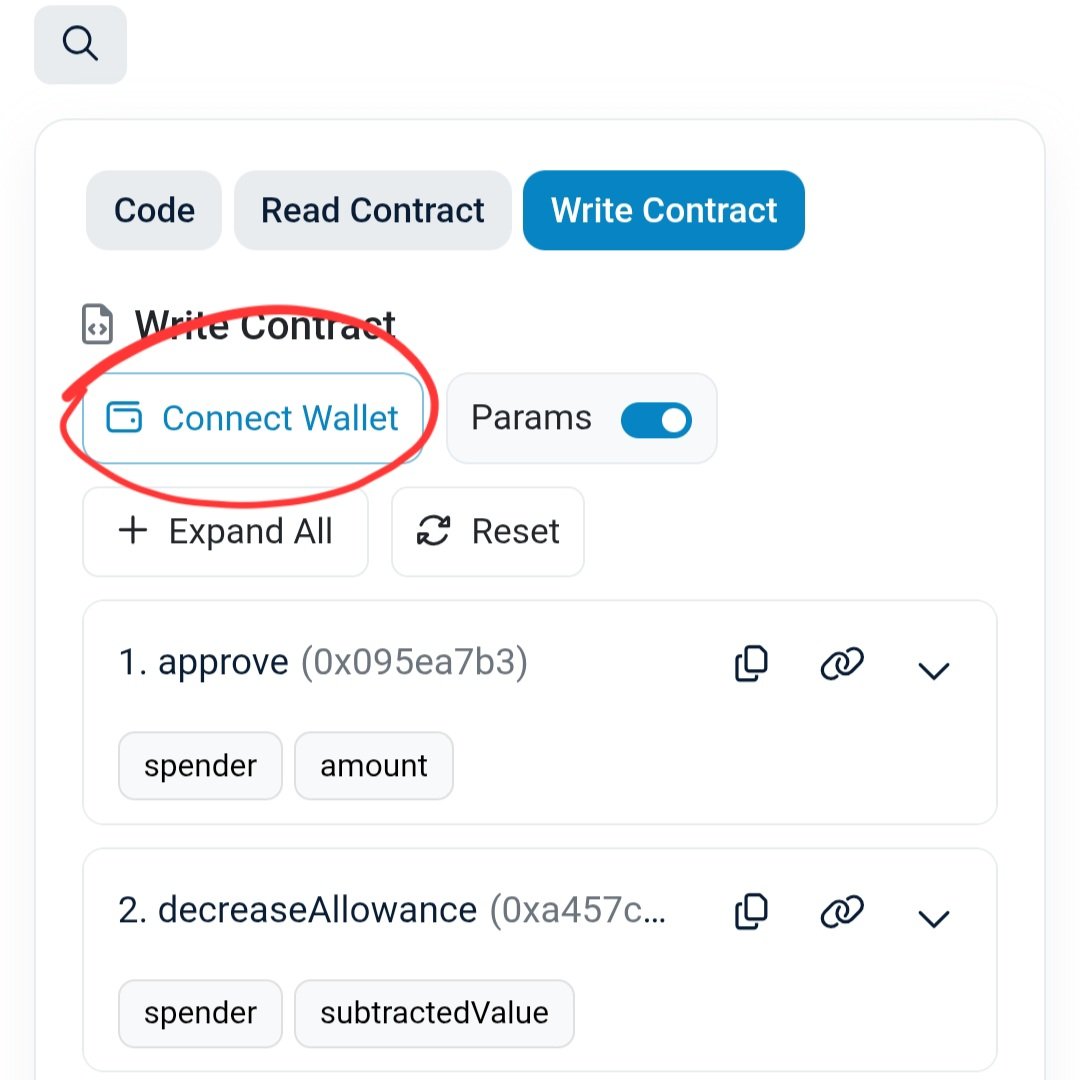
Click Connect to Web3 near the top of the page and choose your wallet — a browser extension like MetaMask, a mobile wallet via WalletConnect, or a hardware wallet. Approve the connection when your wallet prompts you.
Open the "1. approve" function
Scroll down the list of write functions until you see 1. approve, and click it to expand it. This function gives the Migration Contract one-time permission to pull a specific amount of your V1 tokens — it's a standard security step required by every BEP-20 / ERC-20 token, and it does not move any tokens by itself.
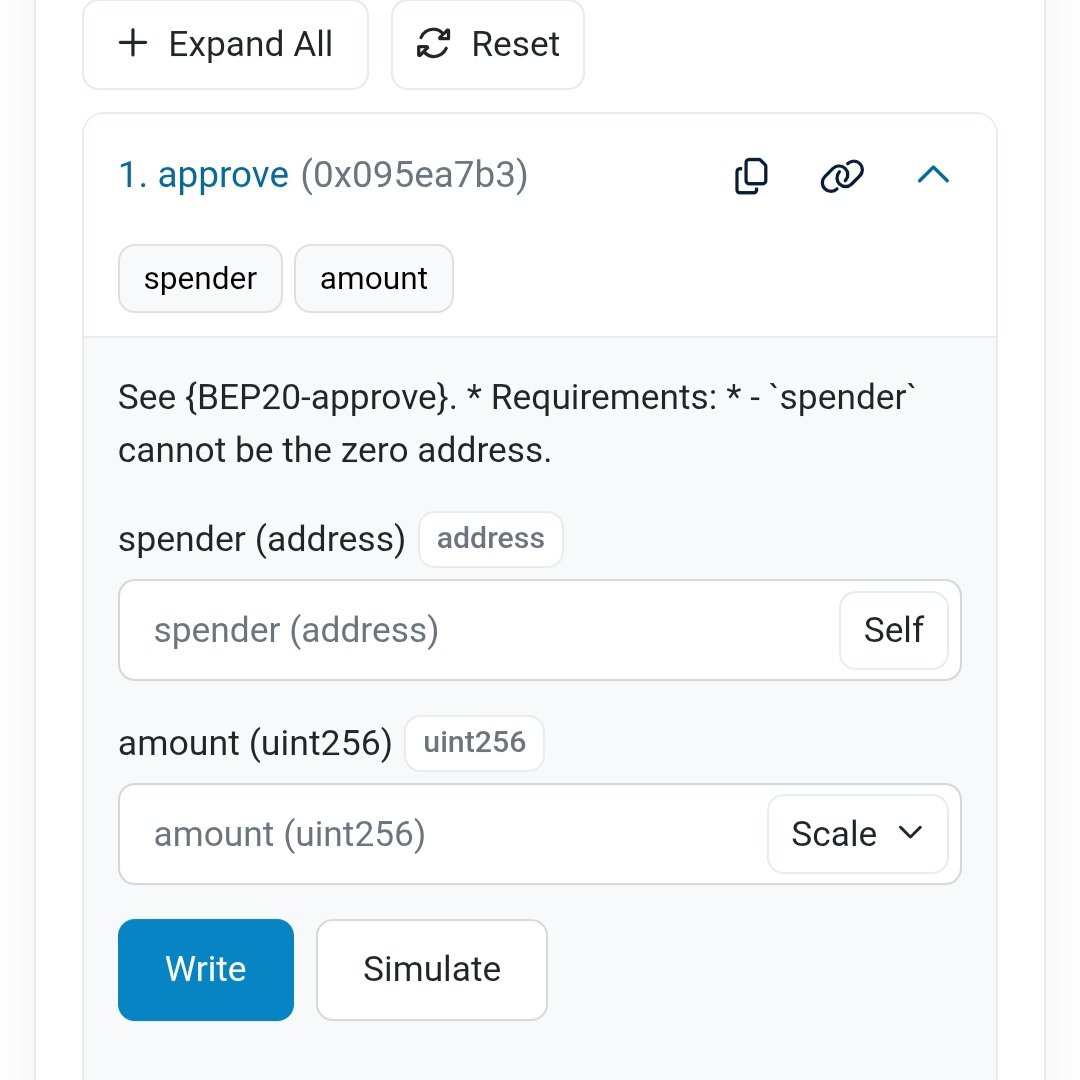
0xA58B6365181BAD3603de6A25B9DD06e1c51e9c0b
- use the Scale dropdown next to the field and select ×10^18, or
- type the number yourself with 18 zeros added to the end.
Example: to migrate 1,000 V1 tokens, either enter 1000 and set Scale to ×10^18, or enter 1000000000000000000000 directly (1000 followed by 18 zeros).
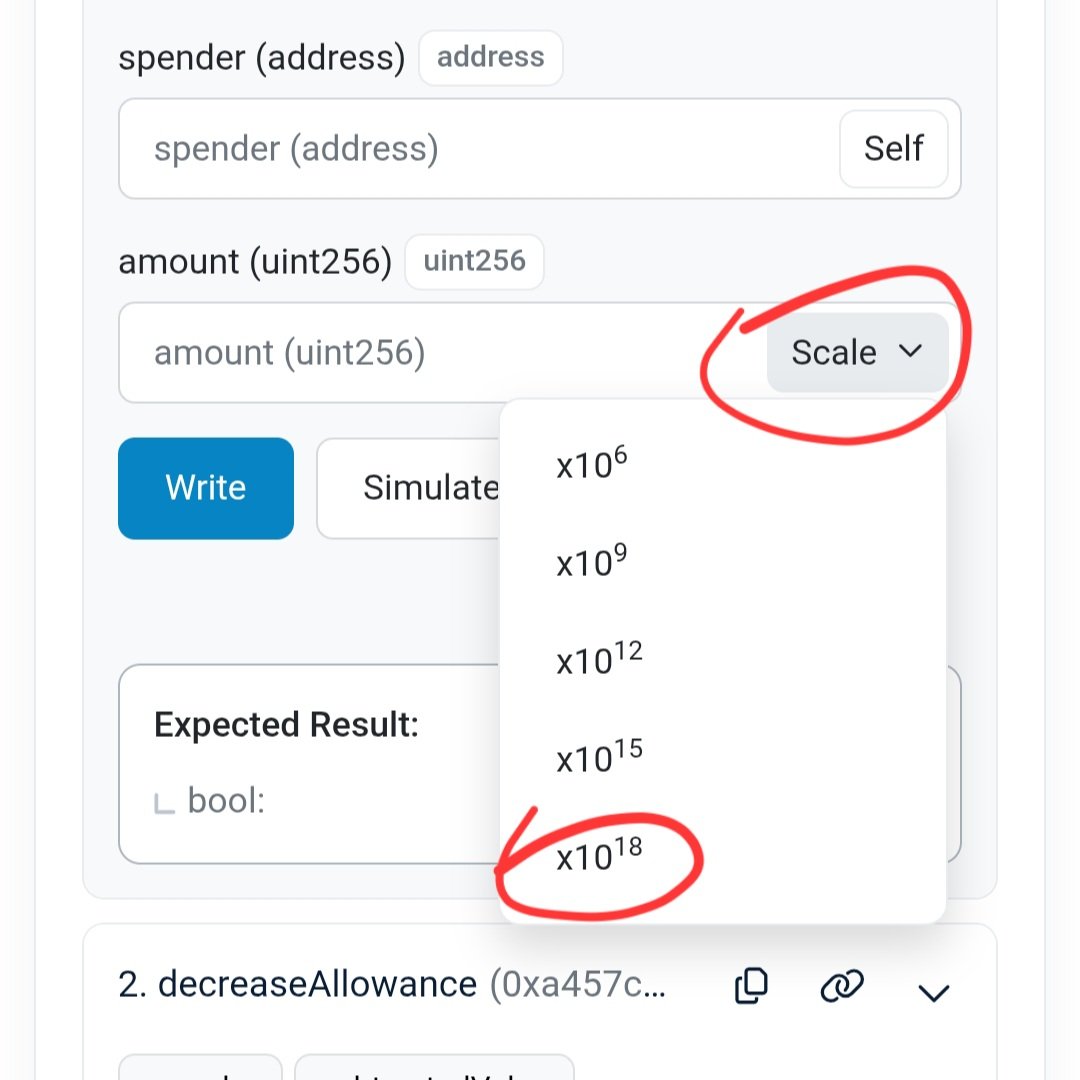
Once both fields are filled in, click Write, then confirm the transaction in your wallet. Wait for it to be confirmed on-chain before moving to the next step.
Go to the Migration Contract's "Write Contract" tab
Open the Migration Contract's page on BscScan and click Write Contract, then Connect to Web3 again with the same wallet you just used.
Open the Migration Contract's Write Contract page →Open the "2. migrate" function
Find 2. migrate in the list and click it to expand it.
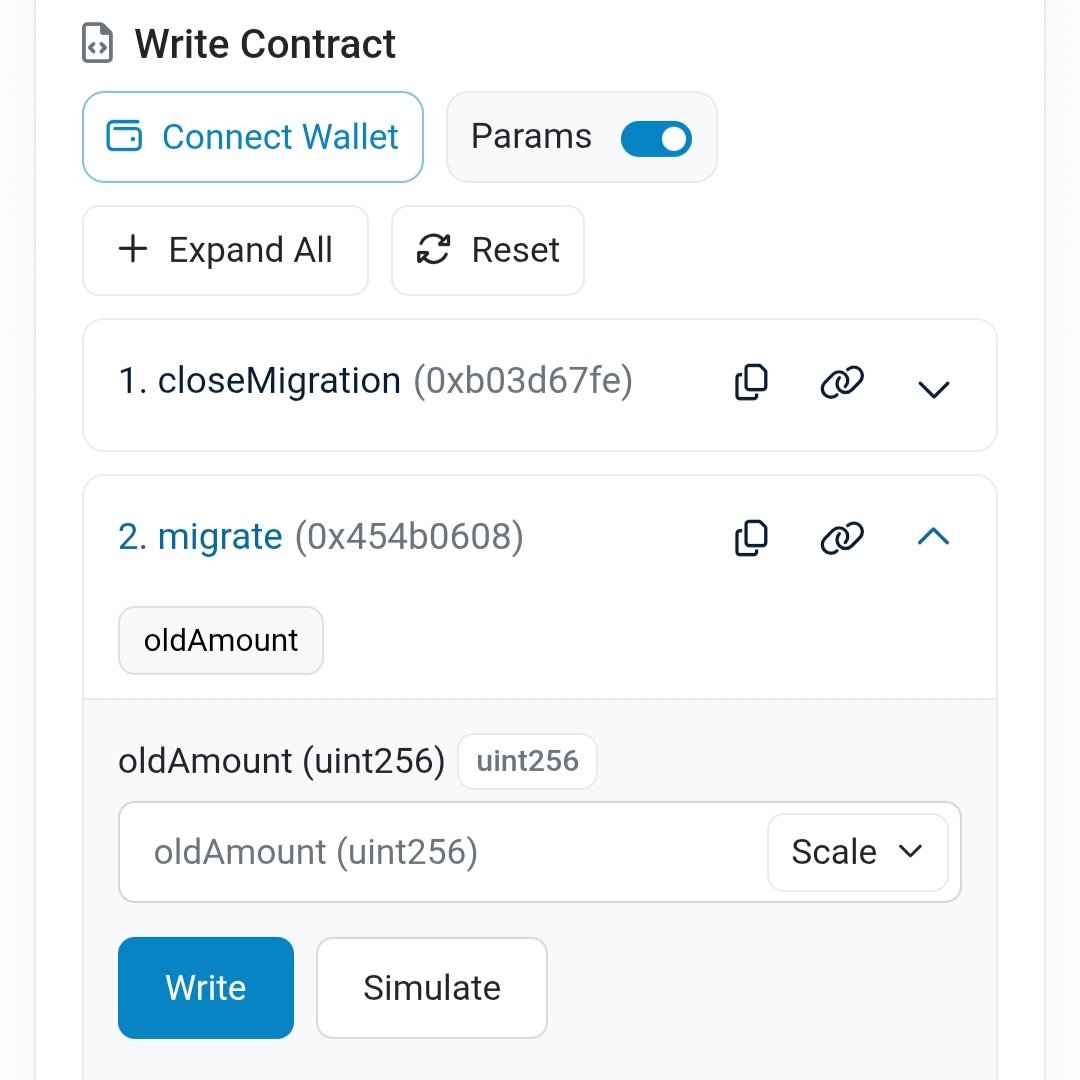
Click Write, then confirm the transaction in your wallet.
Done — your V2 tokens arrive automatically
Once this transaction confirms, the Migration Contract takes your V1 tokens and sends your equivalent share of V2 tokens straight to your wallet. There's nothing else to claim or confirm — you can check your wallet or BscScan to see the V2 tokens arrive.
New to howinu? You don't need to migrate anything.
Migration is only for people who already hold Howinu V1. If you're joining the community for the first time, just grab V2 directly from the public sale on Four.meme — no approve/migrate steps needed.
Buy V2 on Four.memeAlways double-check addresses before signing
Copy contract addresses directly from this page or from BscScan — never type them from memory, and never trust an address sent to you privately. howinu admins will never DM you first or ask you to send tokens directly to a wallet.
If anything looks different from what's shown here, stop and ask in our Telegram before signing anything.
Risk Disclaimer
Interacting with smart contracts carries risk, and blockchain transactions cannot be reversed once confirmed. Double-check every address and amount before signing. This page is informational, not financial advice.
Read the full risk disclaimer →